alexzhangs/shadowsocks-manager
A web-based Shadowsocks management tool.
7.5K
alexzhangs/shadowsocks-manager repository overview



shadowsocks-manager
A web-based Shadowsocks management tool.
Features:
- Central user management
- Heartbeat on Shadowsocks ports(users)
- Shadowsocks multi-user API
- Shadowsocks node cluster
- Statistic for network traffic usage
- Scheduled jobs
- dns-lexicon API
- Auto-creating DNS records
- Production deployment ready
- How's the Shadowsocks supported:
- libev edition:
- Full functional.
- python edition:
- Lacks the collection of traffic statistics.
- Lacks the ability to test user port creation status.
- libev edition:
Code in Python, base on Django, Django REST framework, Celery, and SQLite.
The development status can be found at: project home.
Screenshots
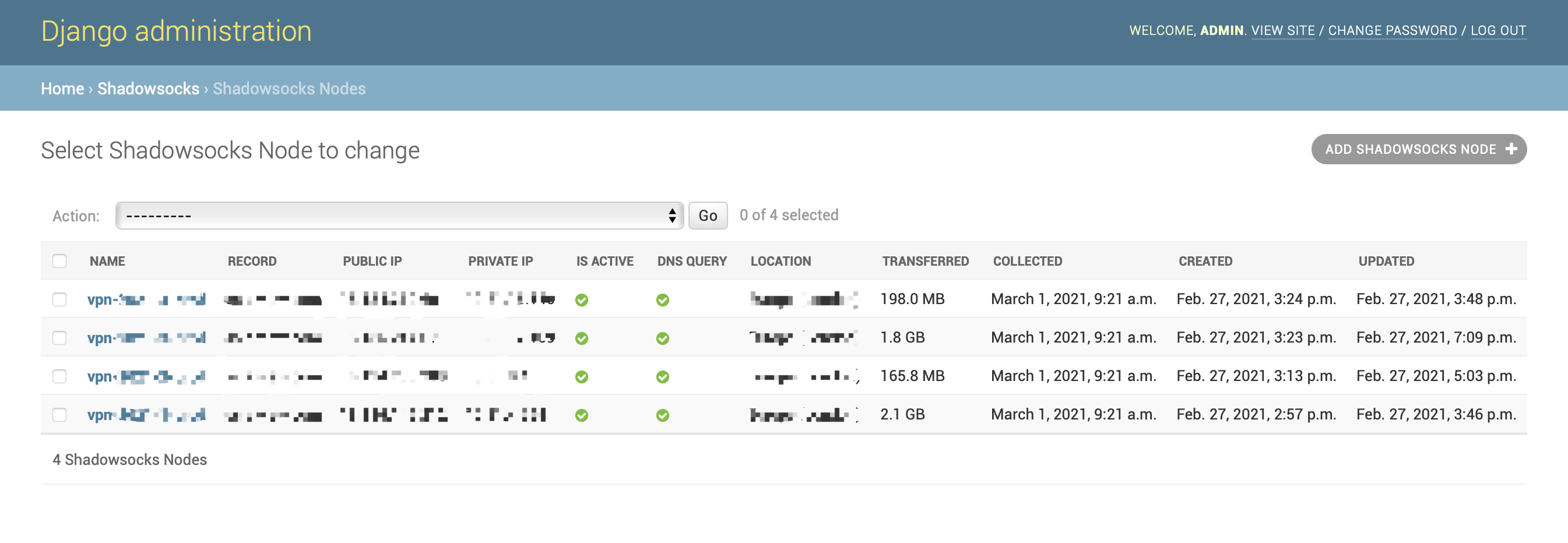
Shadowsocks Node List:
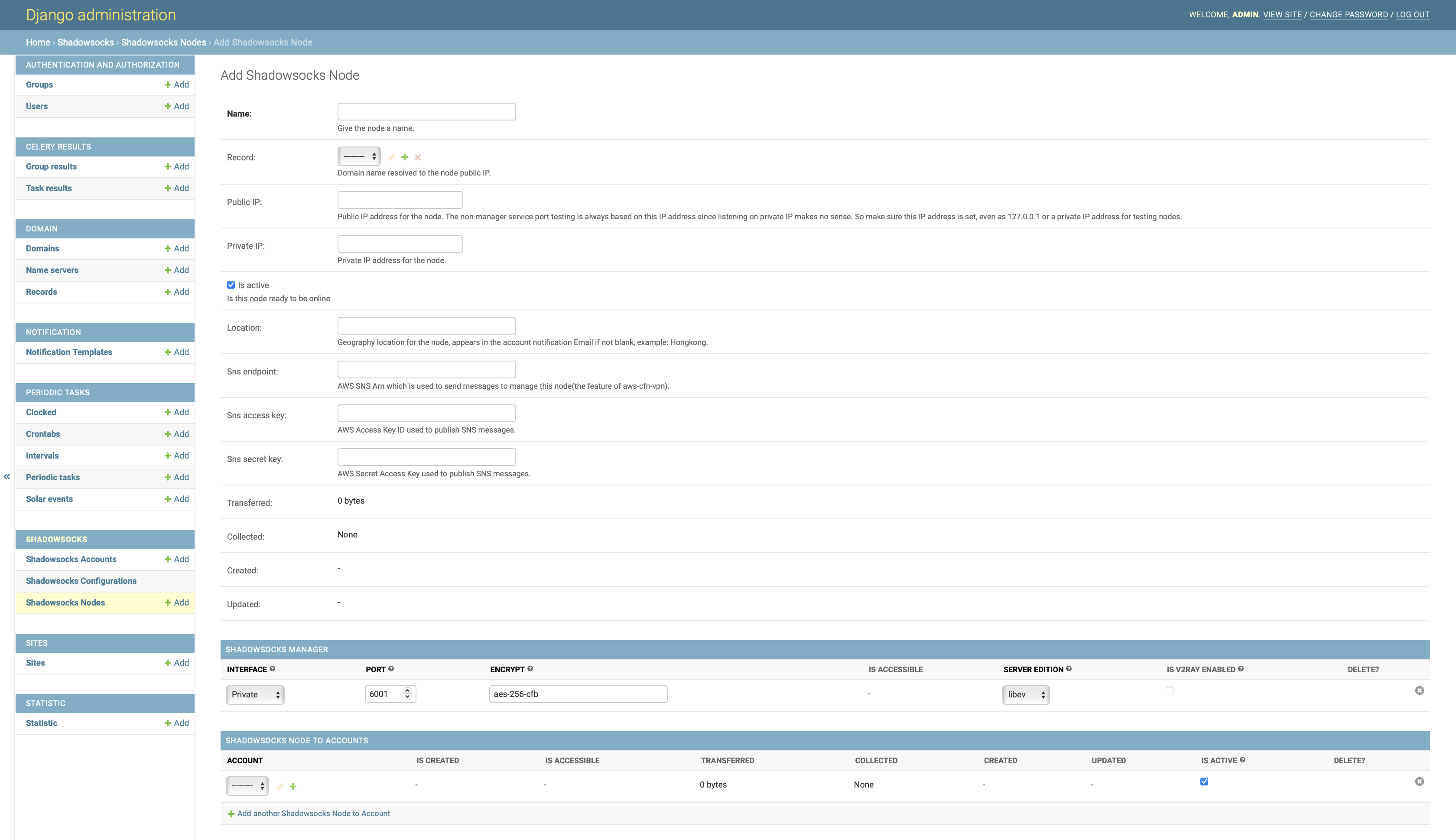
Add Shadowsocks Node:
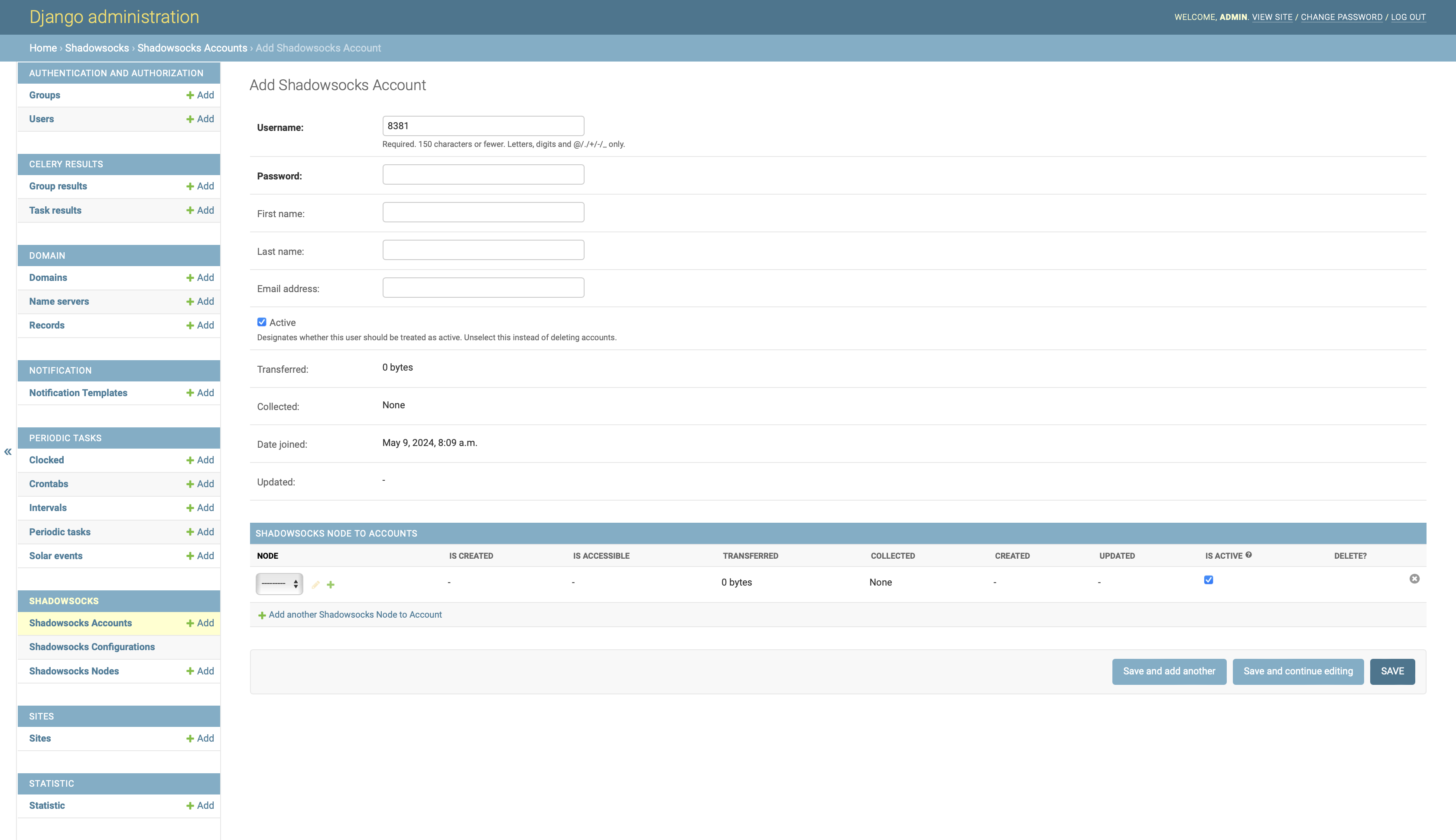
Add Shadowsocks Account:
2. Install
This project is a part of an entire VPN solution, which includes the Shadowsocks server and Shadowsocks manager. The Shadowsocks server serves the traffic, the Shadowsocks manager serves the users and the traffic statistics. The solution is designed to be deployed in the AWS cloud. If you are looking for such a solution, you can refer to the repo aws-cfn-vpn. With aws-cfn-vpn, you can deploy the entire solution with a few commands.
2.1. Dependencies
Assume you have installed the Docker on your host.
2.2. Manual installation
# create a docker network
docker network create ssm-network

# run memcached, used by django cache
docker run -d --network ssm-network --name ssm-memcached memcached

# run rabbitmq, used by celery
docker run -d --network ssm-network --name ssm-rabbitmq rabbitmq

# create a directory to store the data, it will be mounted to the shadowsocks-manager container
mkdir -p ~/ssm-volume

# run the shadowsocks-manager with HTTPS and DNS API enabled
# please replace the options with your own settings
docker run -d -p 80:80 -p 443:443 -v ~/ssm-volume:/var/local/ssm \
    --network ssm-network --name ssm alexzhangs/shadowsocks-manager \
    -e SSM_SECRET_KEY=yourkey -e SSM_DEBUG=False \
    -e SSM_MEMCACHED_HOST=ssm-memcached -e SSM_RABBITMQ_HOST=ssm-rabbitmq \
    -u admin -p yourpassword -M [email protected] \
    -d admin.ss.example.com -a 127.0.0.1 -S
    -E PROVIDER=namecom,LEXICON_PROVIDER_NAME=namecom,LEXICON_NAMECOM_AUTH_USERNAME=your_username,LEXICON_NAMECOM_AUTH_TOKEN=your_token
2.3. Install with script
git clone https://github.com/alexzhangs/shadowsocks-manager
bash shadowsocks-manager/install.sh -u admin -p yourpassword -M [email protected] \
    -d admin.ss.example.com -a 127.0.0.1 -S \
    -E PROVIDER=namecom,LEXICON_PROVIDER_NAME=namecom,LEXICON_NAMECOM_AUTH_USERNAME=your_username,LEXICON_NAMECOM_AUTH_TOKEN=your_token
10. Security Considerations
-
Never run the shadowsocks-manager service with the Django 'DEBUG' mode enabled in production or even for evaluation. Especially when the default password is used, the debug mode will expose your env in the error page. This option should be enabled only for the development on the local machine.
- The 'DEBUG' mode is disabled by default in the docker image.
- The 'DEBUG' mode is enabled by default in the pypi package, it should be disabled if not for development.
-
Never run the shadowsocks-manager service with the default password on the network other than the localhost.
-
Never run the shadowsocks-manager service without HTTPS enabled on the network other than the localhost. Otherwise, the password will be sent in plain text over public or private networks.
-
Never run the shadowsocks-manager service and the ss-manager service across the untrusted network without the firewall enabled, such as Internet, untrusted private network, etc.
The ss-manager service does not support authentication. Anyone who can access the service port can control the Shadowsocks server, including creating, deleting, and listing user ports and passwords.
To secure the ss-manager service, you can consider the following methods:
- Use VPC, VPN, or a private network to isolate the ss-manager service from the public network.
- Use VPC peering connection or DC gateway to connect the shadowsocks-manager service and the ss-manager service if they are in different VPCs.
- Ensure that the network traffic between the shadowsocks-manager service and the ss-manager service cannot be sniffed by untrusted parties.
- Use firewall rules to limit access to the ss-manager service port only from the shadowsocks-manager service.
Please note that the running infrastructure and deploying architecture may vary, so it's important to pay extra attention to this issue.
Tag summary
Content type
Image
Digest
sha256:51ba02461…
Size
266.4 MB
Last updated
3 months ago
docker pull alexzhangs/shadowsocks-manager