betothreeprod/bluetooth-audio
Homepage: https://github.com/b23prodtm/balena-sound
667
betothreeprod/bluetooth-audio repository overview
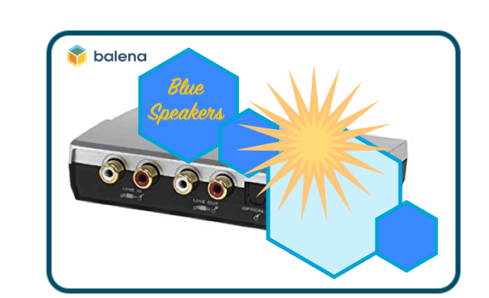

Bluetooth, Airplay and Spotify audio streaming for any audio device
Starter project enabling you to add audio streaming via Bluetooth, Airplay or Spotify Connect to any old speakers or Hi-Fi using just a Raspberry Pi.
This project has been tested on Raspberry Pi 3B/3B+ and Raspberry Pi Zero W. If you're using a Raspberry Pi 3 or above you don't need any additional hardware but if you'd like to use a Pi Zero W this will require an additional HAT as this model has no audio output.
Hardware required
- Raspberry Pi 3A+/3B/3B+/Zero W
- SD Card (we recommend 8GB Sandisk Extreme Pro)
- Power supply
To use the Raspberry Pi, you can choose:
- Connect to the Blue-Speakers
- 3.5mm audio cable to the input on your speakers/Hi-Fi
- As a transmitter to bluetooth speakers:
- A sound card connected to the USB port for the loopback
- A TosLink optical cable (recommended) or RCA Stereo to the output of your TV Set/Console
- A Wireless soundbar or headphones
To use the dashboard, you must have a personal Github.com account and access to the a broadband Internet connection
Note: the Raspberry Pi Zero cannot be used on it's own as it has no audio output. To use the Pi Zero you'll need to add something like the Pimoroni pHAT DAC to go with it.
Software required
- A download of this project (of course)
- Software to flash an SD card (balenaEtcher)
- A free balenaCloud account
- The balena CLI tools
Setup and use
To run this project is as simple as deploying it to a balenaCloud application; no additional configuration is required (unless you're using a DAC HAT).
Setup the Raspberry Pi
- Sign up for or login to the balenaCloud dashboard
- Create an application, selecting the correct device type for your Raspberry Pi
- Add a device to the application, enabling you to download the OS
- Flash the downloaded OS to your SD card with balenaEtcher
- Power up the Pi and check it's online in the dashboard
Deploy this application
- Install the balena CLI tools
- Login with
sudo balena login - Run
./deploy.sh - Download this project and from the project directory run
balena push <appName>where<appName>is the name you gave your balenaCloud application in the first step.
Customize device name
By default, your device will be named balenaSound xxxx. This name will show within Airplay device lists, for Spotify Connect and when searching for devices using Bluetooth.
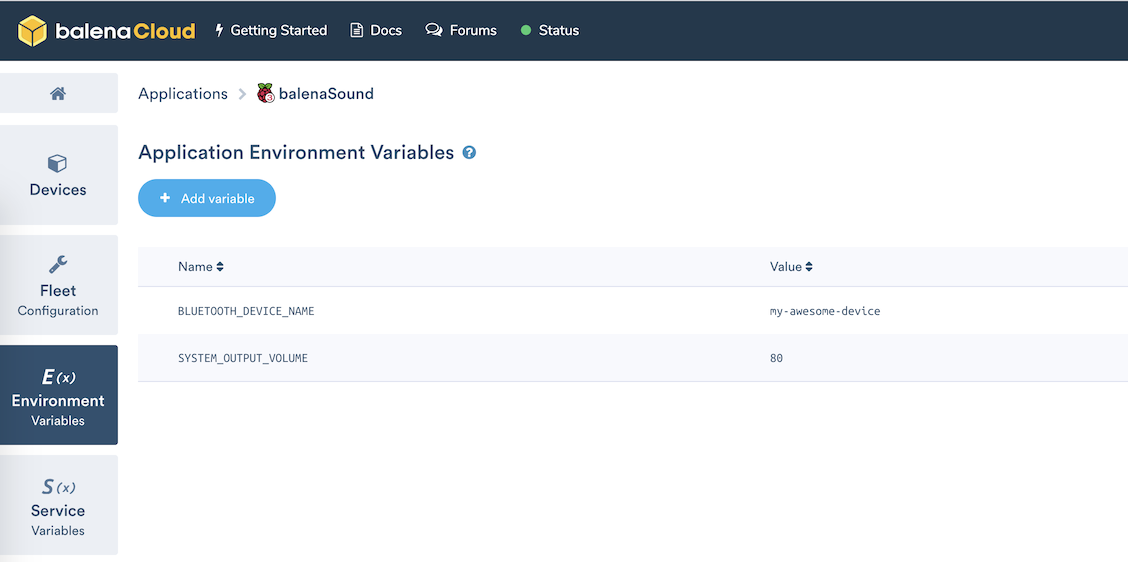
You can change this using BLUETOOTH_DEVICE_NAME environment variable that can be set in balena dashboard
(navigate to dashboard -> app -> device -> device variables). This environment variable sets the name for all 3 services.
Set output volumes
By default, balenaSound will set the output volume of your Raspberry Pi to 100% on the basis you can then control the volume upto the maximum from the connected bluetooth device. If you would like to override this, define the SYSTEM_OUTPUT_VOLUME environment variable.
Secondly, balenaSound will play connection/disconnection notification sounds at a volume of 75%. If this unsuitable, you can override this with the CONNECTION_NOTIFY_VOLUME environment variable.
Note: these variables should be defined as integer values without the % symbol.
Set bluetooth PIN code (optional)
By default, balenaSound bluetooth will connect using Secure Simple Pairing mode. If you would like to override this and use Legacy Mode with a PIN code you can do it by defining the BLUETOOTH_PIN_CODE environment variable. The PIN code must be numeric and up to six digits (1 - 999999).
Note: Legacy Mode is no longer allowed on iOS devices.
Bluetooth Scripts (optional)
balenaSound has configurable scripts you can run on connect and disconnect bluetooth events. If you would like to activate this, set the BLUETOOTH_SCRIPTS environment variable to true.
Sample scripts can be found on the ./bluetooth-audio/bluetooh-scripts/ directory, theses can be edited as needed.
Spotify login (optional)
balenaSound Spotify Connect works with only Spotify Premium accounts (due to the use of the librespot library).
To enable Spotify login you can add your username/e-mail and password, which are set with two environment variables: SPOTIFY_LOGIN and SPOTIFY_PASSWORD. Note: this is only required if you want to use Spotify Connect via the internet, the login is not required on local networks.
Connect
- After the application has pushed and the device has downloaded the latest changes you're ready to go!
- Connect the audio output of your Pi to the AUX input on your Hi-Fi or speakers
- The
balenaSound xxxxname is used by default, wherexxxxwill be the first 4 characters of the device ID in the balenaCloud dashboard. - If using Bluetooth: search for your device on your phone or laptop and pair.
- If using Airplay: select the balenaSound device from your audio output options.
- If using Spotify Connect: open Spotify and choose the balenaSound device as an alternate output.
- Let the music play!
This project is in active development so if you have any feature requests or issues please submit them here on GitHub. PRs are welcome, too.
As a transmitter to bluetooth speakers
The modern way of audio streaming to your new wireless speakers, now available to you. You don't have any bluetooth capability on your old set top box? You can definitely use your Raspberry Pi to add a wireless connection to old TV set top boxes, using an USB card (snd_usb_audio). You have to connect from an audio source to the sound card input (either digital, optical or analog jacks). Then Blue-Speakers can pair to your existing bluetooth speakers device. To configure the wireless speakers, adjust the Device Service Variable to your needs.
BT_SCAN_TIMEOUT 2
Change this setting to eventually find more devices in your vincinity. Increase to e.g. 4-6 seconds.
Now, just enable public device urls from the dashboard and you can pick some audio speakers from the blue-speakers URL.
Tag summary
Content type
Image
Digest
Size
298.7 MB
Last updated
about 6 years ago
docker pull betothreeprod/bluetooth-audio