esanchezm/prometheus-qbittorrent-exporter
Get metrics from a server and offers them in a prometheus format.
Image
3
500K+
esanchezm/prometheus-qbittorrent-exporter repository overview
Prometheus qBittorrent exporter
A prometheus exporter for qBitorrent. Get metrics from a server and offers them in a prometheus format.
How to use it
You can run it with the following command:
docker run -e QBITTORRENT_PORT=8080 -e QBITTORRENT_HOST=myserver.local -p 8000:8000 esanchezm/prometheus-qbittorrent-exporter
The application reads configuration using environment variables:
| Environment variable | Default | Description |
|---|---|---|
QBITTORRENT_HOST | qbittorrent server hostname | |
QBITTORRENT_PORT | qbittorrent server port | |
QBITTORRENT_USER | "" | qbittorrent username |
QBITTORRENT_PASS | "" | qbittorrent password |
EXPORTER_PORT | 8000 | Exporter listening port |
EXPORTER_LOG_LEVEL | INFO | Log level. One of: DEBUG, INFO, WARNING, ERROR, CRITICAL |
METRICS_PREFIX | qbittorrent | Prefix to add to all the metrics |
Metrics
These are the metrics this program exports, assuming the METRICS_PREFIX is qbittorrent:
| Metric name | Type | Description |
|---|---|---|
qbittorrent_up | gauge | Whether if the qBittorrent server is answering requests from this exporter. A version label with the server version is added |
qbittorrent_connected | gauge | Whether if the qBittorrent server is connected to the Bittorrent network. |
qbittorrent_firewalled | gauge | Whether if the qBittorrent server is connected to the Bittorrent network but is behind a firewall. |
qbittorrent_dht_nodes | gauge | Number of DHT nodes connected to |
qbittorrent_dl_info_data | counter | Data downloaded since the server started, in bytes |
qbittorrent_up_info_data | counter | Data uploaded since the server started, in bytes |
qbittorrent_torrents_count | gauge | Number of torrents for each category and status. Example: qbittorrent_torrents_count{category="movies",status="downloading"} |
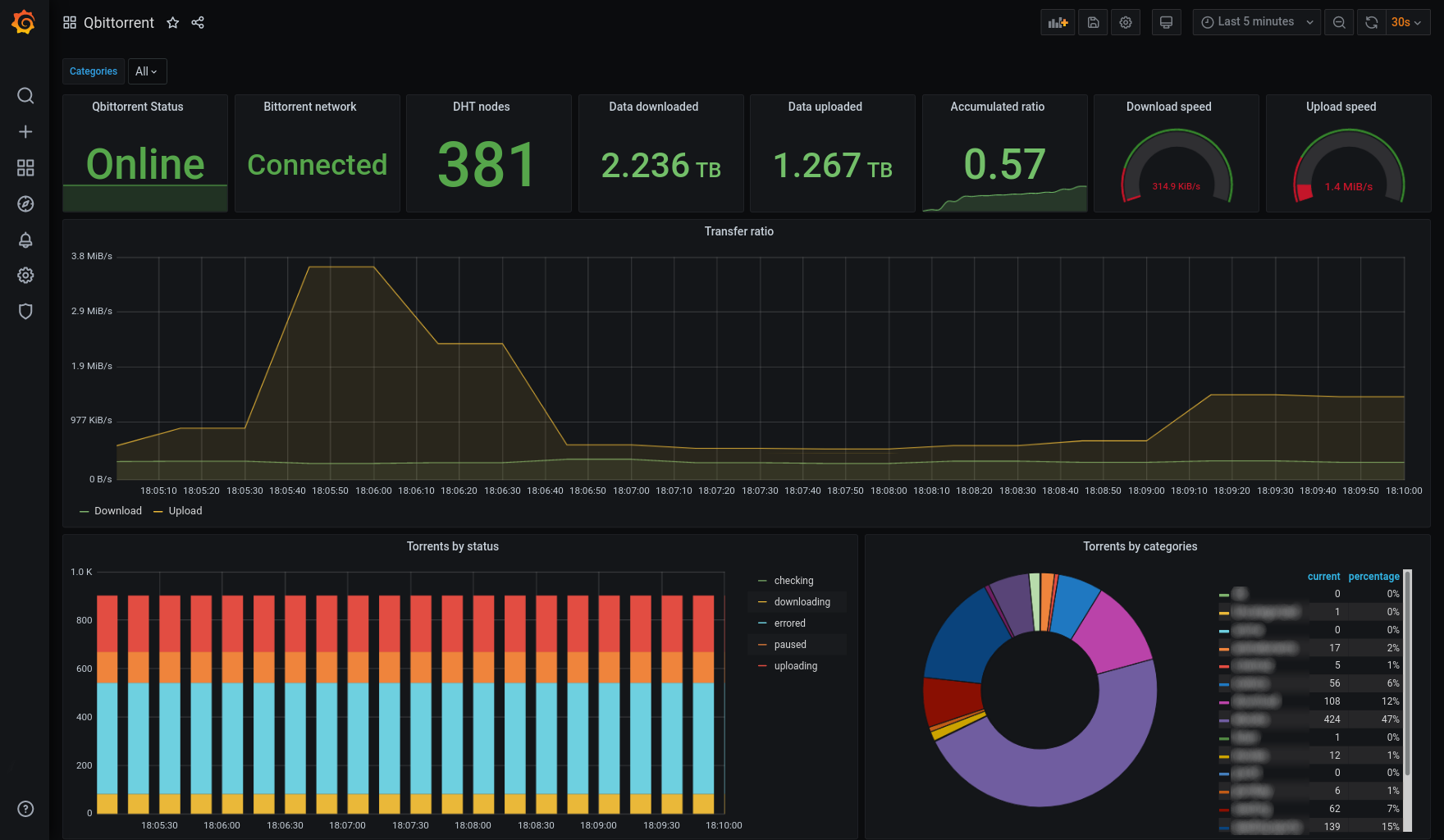
Screenshot
License
This software is released under the GPLv3 license.
Tag summary
Content type
Image
Digest
sha256:41a7030be…
Size
17.7 MB
Last updated
4 months ago
docker pull esanchezm/prometheus-qbittorrent-exporter