jagatranvo/superseedr
A Rust BitTorrent Client in your Terminal - superseedr.com
6.9K
jagatranvo/superseedr repository overview

A BitTorrent Client in your Terminal






Superseedr is a modern Rust BitTorrent client featuring a high-performance terminal UI, real-time swarm observability, secure VPN-aware Docker setups, and zero manual network configuration. It is fast, privacy-oriented, and built for both desktop users and homelab/server workflows.
🚀 Features at a Glance
| Experience | Networking | Engineering |
|---|---|---|
| 🎨 60 FPS TUI + Themes Fluid, animated interface with heatmaps and 40 live-switchable built-in themes. | 🐳 Docker + VPN Gluetun integration with dynamic port reloading. | 🧬 BitTorrent v2 Hybrid swarms & Merkle tree verification. |
| 📰 RSS Feeds In-app feed tracking, filtering, and ingest. | 🧩 Cluster Mode OS-agnostic shared torrent catalog with automatic failover. | 🧠 Self-Tuning Adaptive limits control for max speed and I/O Stability. |
| 🧲 Magnet Links Native OS-level handler support. | 👻 Private Mode Optional builds disabling DHT/PEX. | 📡 Integrity Prober Continuous lightweight background integrity checks with fast recovery reprobes. |
Terminal Torrenting With Superseedr
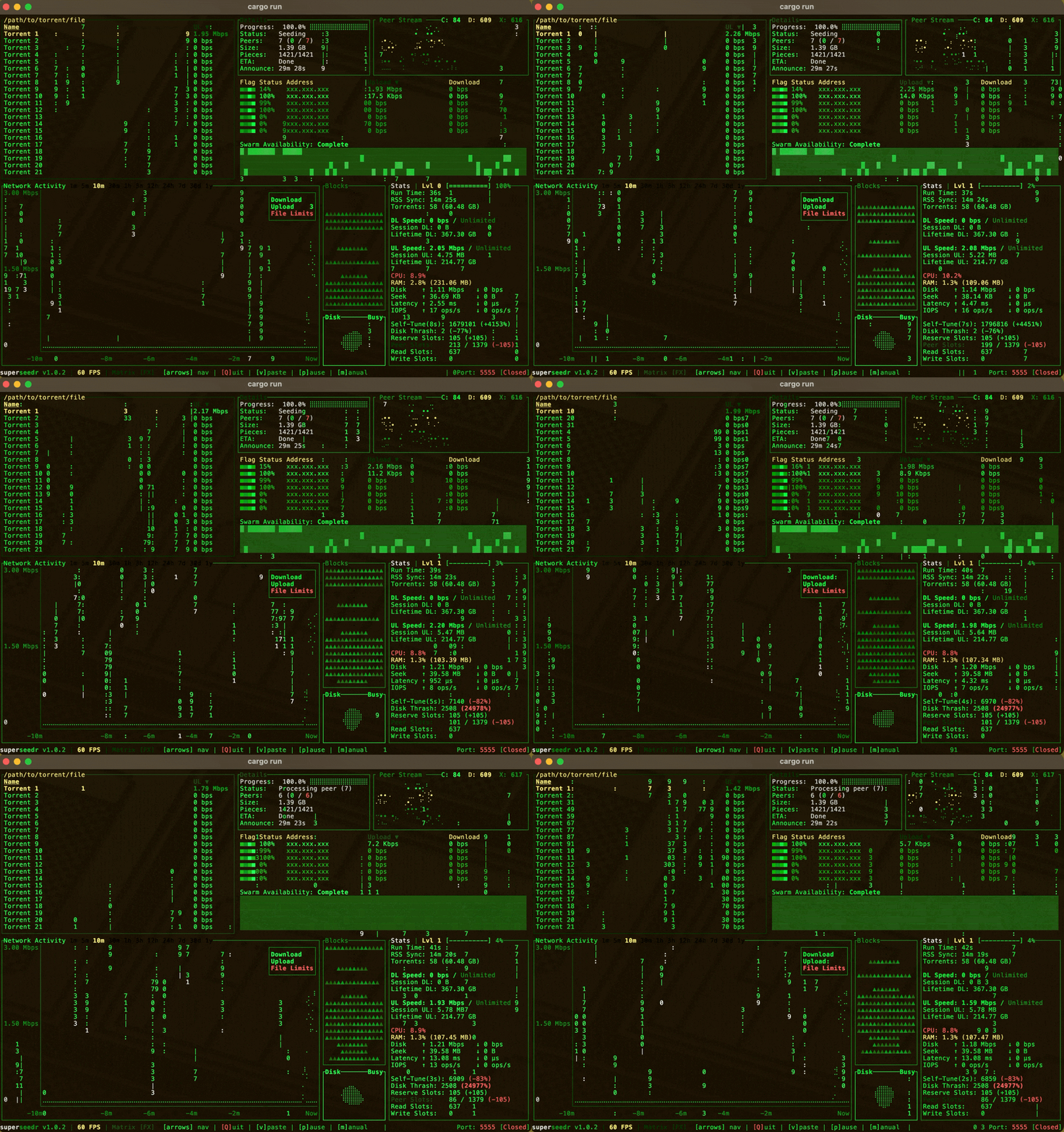
- Pushing TUI Boundaries: Experience a fluid, 60 FPS interface that feels like a native GUI, featuring smooth animations, high-density visualizations, and 40 built-in themes rarely seen in terminal apps.
- See What's Happening: Diagnose slow downloads instantly with deep swarm analytics, heatmaps, and live bandwidth graphs.
- Set It and Forget It: Automatic port forwarding and dynamic listener reloading in Docker ensure your connection stays alive, even if your VPN resets.
- Crash-Proof Design: Leverages Rust's memory safety guarantees to run indefinitely on low-resource servers without leaks or instability, and shared cluster mode adds automatic failover across hosts.
Installation
Download platform-specific installers from the releases page (includes browser magnet link support):
- Windows:
.exeper-user installer (no admin) or.msiinstaller - macOS:
.pkginstaller - Debian/Ubuntu:
.debpackage
Package Managers
- Cargo:
cargo install superseedr - Brew:
brew install superseedr - Arch Linux:
yay -S superseedr(via AUR)

Usage
Open a terminal
superseedr
⌨️ Key Controls
| Key | Action |
|---|---|
m | Open full manual / help |
Q | Quit |
↑ ↓ ← → | Navigate |
c | Configure Settings |
Tip
Add torrents by clicking magnet links in your browser or opening .torrent files. Copying and pasting (ctrl + v) magnet links or paths to torrent files will also work.
Troubleshooting
Connection or Disk issues?
- Check your firewall allows outbound connections
- Increase file descriptor limit:
ulimit -n 65536 - For VPN users: Verify Gluetun is running and connected
Slow downloads?
- Enable port forwarding in your VPN settings
- Check the swarm health in the TUI's analytics view
More help: See the FAQ or open an issue
More Info
- 🤝Contributing: How you can contribute to the project (technical and non-technical).
- ❓FAQ: Find answers to common questions about Superseedr.
- 🔒Native Network Binding: Bind owned traffic and DNS to a selected interface with fail-closed recovery.
- 📜Changelog: See what's new in recent versions of Superseedr.
- 🗺️Roadmap: Discover upcoming features and future plans for Superseedr.
- 🧑🤝🧑Code of Conduct: Understand the community standards and expectations.
🐳 Running with Docker
Superseedr offers a fully secured Docker setup using Gluetun. All BitTorrent traffic is routed through a VPN tunnel with dynamic port forwarding and zero manual network configuration.
If you want privacy and simplicity, Docker is the recommended way to run Superseedr.
Follow steps below to create .env and .gluetun.env files to configure OpenVPN or WireGuard.
# Docker (No VPN):
# Uses internal container storage. Data persists until the container is removed.
docker run -it jagatranvo/superseedr:latest

# Docker Compose (Gluetun with your VPN):
# Requires .env and .gluetun.env configuration (see below).
docker compose up -d && docker compose attach superseedr
Click to expand Docker Setup
Setup
-
Get the Docker configuration files: You only need the Docker-related files to run the pre-built image, not the full source code.
Option A: Clone the repository (Simple) This gets you everything, including the source code.
git clone https://github.com/Jagalite/superseedr.git cd superseedrOption B: Download only the necessary files (Minimal) This is ideal if you just want to run the Docker image.
mkdir superseedr cd superseedr # Download the compose file and example config files curl -sL \ -O https://raw.githubusercontent.com/Jagalite/superseedr/main/docker-compose.yml \ -O https://raw.githubusercontent.com/Jagalite/superseedr/main/.env.example \ -O https://raw.githubusercontent.com/Jagalite/superseedr/main/.gluetun.env.example # Note the example files might be hidden run the commands below to make a copy. cp .env.example .env cp .gluetun.env.example .gluetun.env -
Recommended: Create your environment files:
-
App Paths & Build Choice: Edit your
.envfile from the example. This file controls your data paths and which build to use.cp .env.example .envEdit
.envto set your absolute host paths (e.g.,HOST_SUPERSEEDR_ROOT_PATH=/my/path/seedbox). This is important: it maps the container's shared seedbox root (/seedbox) to a real folder on your computer. Keepsuperseedr-config/inside that root for the simplest shared-config setup. -
VPN Config: Edit your
.gluetun.envfile from the example.cp .gluetun.env.example .gluetun.envEdit
.gluetun.envwith your VPN provider, credentials, and server region.
-
Option 1: VPN with Gluetun (Recommended)
Gluetun provides:
- A VPN kill-switch
- Automatic port forwarding
- Dynamic port changes from your VPN provider
Many VPN providers frequently assign new inbound ports. Most BitTorrent clients must be restarted when this port changes, breaking connectability and slowing downloads. Superseedr can detect Gluetun’s updated port and reload the listener live, without a restart, preserving swarm performance.
- Make sure you have created and configured your
.gluetun.envfile. - Run the stack using the default
docker-compose.ymlfile:
docker compose up -d && docker compose attach superseedr
To detach from the TUI without stopping the container, use the Docker key sequence:
Ctrl+Pfollowed byCtrl+Q. Optional: press[z]first to enter power-saving mode.
Option 2: Direct docker run
This runs the client directly without Gluetun. It is useful for advanced users who want to manage networking themselves.
docker run --rm -it \
  -e SUPERSEEDR_DEFAULT_DOWNLOAD_FOLDER=/seedbox \
  -e SUPERSEEDR_SHARED_CONFIG_DIR=/seedbox \
  -e SUPERSEEDR_SHARED_HOST_ID=seedbox-docker \
  -p 6881:6881/tcp \
  -p 6881:6881/udp \
  -v /your/seedbox:/seedbox \
  -v ./docker-data/share:/root/.local/share/jagalite.superseedr \
  jagatranvo/superseedr:latest
Replace /your/seedbox with the shared seedbox root on your host. Keep superseedr-config/ inside that folder so the container sees it at /seedbox/superseedr-config.
🔗 Integrations & Automation
Superseedr is built around a local CLI and a file-based automation model, so you can script, queue, and inspect work without exposing a network control stack. The same command flow works when a client is online, when it is offline, and in shared mode when you are operating against a remote leader through a mounted shared root.
Check out the Superseedr Plugins Repository for plugins (beta testing).
Click to expand automation details
1. File Watcher & Auto-Ingest
Superseedr uses a file-based watch-folder architecture so local automation, scripts, containers, and other processes can control ingestion without needing a separate daemon protocol.
Each node can watch a local watch_folder. In standalone mode, that watch
folder feeds the local client directly. In shared mode, followers watch their
own local folders and relay supported files into the shared inbox so the leader
can process them and update the shared catalog.
Processed watch files are archived after handling so the queue stays deterministic and auditable.
| File Type | Action |
|---|---|
.torrent | Adds a torrent from a torrent file. In shared mode, follower-side ingest may stage the torrent for leader processing. |
.magnet | Adds a torrent from a magnet link stored as text. |
.path | Adds a torrent from a referenced torrent-file path. In shared mode, cross-host handling uses portable shared-root-aware staging. |
.control | Applies queued control requests such as pause, resume, remove, purge, and priority changes. |
shutdown.cmd | Requests graceful shutdown of the running client or shared leader. |
See docs/shared-config.md for shared inbox and
leader/follower watch-folder behavior.
2. CLI Control
The CLI uses the same file-oriented control model. Depending on mode, commands either:
- write control files for a running client
- queue requests through the shared inbox for the leader
- or apply offline mutations directly when no runtime is available
That makes the CLI easy to script from shells, containers, task runners, and other local automation.
See docs/cli.md for the full CLI guide.
# Add a magnet link
superseedr add "magnet:?xt=urn:btih:..."

# Add a torrent file by path
superseedr add "/path/to/linux.iso.torrent"

# Inspect the current shared launcher selection
superseedr show-shared-config

# Launch from an existing shared root without persisting it
cd "/path/to/seedbox"
superseedr

# Show resolved config, log, status, journal, and watch paths
superseedr show-configs

# Persist shared launcher config for installed/protocol launches
superseedr set-shared-config "/path/to/seedbox"

# Convert local config into layered shared config
superseedr to-shared "/path/to/seedbox"

# Convert the active shared config back into local standalone config
superseedr to-standalone

# Stop the client gracefully
superseedr stop-client
See docs/cli.md for full CLI command behavior, and
docs/shared-config.md for shared leader/follower
routing.
To choose a new available peer-listening port on every start, set
client_port = "RANDOM" in settings.toml. You can also launch with
SUPERSEEDR_CLIENT_PORT=RANDOM or the shorter PORT=RANDOM. A numeric
SUPERSEEDR_CLIENT_PORT takes precedence and selects a fixed port.
3. Status API & Monitoring
For external dashboards, health checks, and lightweight automation, Superseedr periodically dumps runtime state to JSON.
- Output Location: a status JSON file in the runtime data area.
- Shared Mode: each host writes its own status file, and shared CLI status follows the current leader snapshot.
- Content: includes transfer stats, runtime metrics, and torrent-level state.
Configuration
You can control how often this file is updated using the output_status_interval setting.
Environment Variable: Set this variable in your Docker config to change the update frequency (in seconds).
# Update the status file every 5 seconds
SUPERSEEDR_OUTPUT_STATUS_INTERVAL=5
4. RSS Feeds & History
Superseedr can track RSS feeds in-app, evaluate feed items against your configured matching rules, and automatically ingest matching releases without needing an external automation stack.
- Feed Tracking: monitor RSS feeds directly from the client.
- Rule-Based Matching: use configured match rules to decide what should be ingested.
- Auto-Ingest: matching items can be queued into the normal torrent ingest path.
- History & Deduplication: downloaded feed history is persisted so the same item is not re-ingested repeatedly.
RSS download history is capped at 1000 entries.
- When the history grows past 1000, the oldest entries are pruned first.
- This limit applies to persisted runtime history in
persistence/rss.toml.
🧩 Shared Configurations & Cluster Mode
Shared mode gives you an OS- and machine-agnostic torrent catalog and settings
that live alongside your data on the NAS or shared root. Any Superseedr client
that mounts that shared root can connect and reuse the same catalog in real time.
Superseedr CLI commands work against that shared config both online and offline. See
docs/shared-config.md for the full shared-mode guide.
Same shared root, different local mount paths

NAS
/shared/superseedr
├─ superseedr-config/
│  ├─ settings.toml
│  ├─ catalog.toml
│  └─ ...
└─ video1.mkv

macOS
$ superseedr set-shared-config /Volumes/superseedr-mount
$ superseedr
/Volumes/superseedr-mount
├─ superseedr-config/
│  ├─ settings.toml
│  ├─ catalog.toml
│  └─ ...
└─ video1.mkv

Windows
> superseedr set-shared-config "X:\superseedr-mount"
> superseedr
X:\superseedr-mount
├─ superseedr-config\
│  ├─ settings.toml
│  ├─ catalog.toml
│  └─ ...
└─ video1.mkv
Cluster mode turns that shared catalog into an active multi-node setup. One node acts as leader and updates shared desired state, while other nodes stay online as followers that continue seeding and apply the leader-written catalog in real time. If the leader goes away, another node can take over automatically, and each host can mount the same shared root at a different local path for cross-OS operation.
                    Shared Root / NAS
                      /shared/superseedr
                  ┌───────────────────────┐
                  │ superseedr-config/    │
                  │ settings.toml         │
                  │ catalog.toml          │
                  │ inbox/                │
                  │ hosts/                │
                  └───────────────────────┘
                          ↑        ↑
                          │        │
                       Leader   Follower

       ┌──────────────────────┐    ┌──────────────────────┐
       │ Windows              │    │ macOS                │
       │ X:\superseedr-mount  │    │ /Volumes/superseedr- │
       │                      │    │ mount                │
       └──────────────────────┘    └──────────────────────┘
🧠 Advanced: Architecture & Engineering
Superseedr is built on a Reactive Actor architecture verified by model-based fuzzing, ensuring stability under chaos. It features a Self-Tuning Resource Allocator that adapts to your hardware in real-time and a hybrid BitTorrent v2 engine, all powered by asynchronous Tokio streams for maximum throughput.
Click to expand technical internals
This section is designed for developers, contributors, and AI agents seeking to understand the internal design decisions that drive Superseedr's performance.
⚡ Async Networking Core
Superseedr is built on the Tokio runtime, leveraging asynchronous I/O for maximum concurrency.
- Full-Duplex Streams: Every peer connection is split into independent Reader and Writer tasks (
tokio::io::split). This allows the client to saturate download and upload bandwidth simultaneously without thread blocking or lock contention, ensuring the UI remains responsive even with thousands of active connections. - Actor-Based Session Management: Each peer operates as an isolated Actor. Communication between the network socket and the core logic happens exclusively via
mpscchannels, meaning a slow or misbehaving peer cannot block the main event loop or affect other connections. - Hot-Swappable Listeners: The application runs an async file watcher (
notify) on the VPN configuration volume. When Gluetun rotates the forwarded port, Superseedr detects the file change and instantly rebinds the TCP listener to the new port without dropping the swarm state or restarting the process.
👥 Cross-Swarm Peer Manager
The Peer Manager turns per-torrent connection data into a global, IP-centric view of peer behavior without adding continuous work to the TUI render loop.
- Unified Peer Identity: IPv4 and IPv4-mapped IPv6 addresses are normalized and aggregated across torrents, endpoints, and TCP/uTP transports while preserving observed client identities.
- Lifecycle & Transfer Accounting: The manager tracks active and recent peers, torrents and endpoints seen, connection and disconnection counts, total downloaded and uploaded bytes, and last-seen time. The TUI supports filtering, searching, sortable columns, and per-peer evidence details.
- Evidence-Based Restrictions: Excessive transfer behavior and rapid reconnect churn are measured against explicit thresholds. Triggered restrictions expose their strongest evidence and remaining duration instead of presenting an unexplained block state.
- Connection-Boundary Enforcement: A shared peer policy rejects restricted peers on both outbound connection attempts and inbound accepts, including before an inbound handshake is routed to a torrent manager.
- Reactive, Non-Blocking Updates: A dedicated Tokio service reduces torrent metrics in the background and publishes bounded snapshots. The TUI recomputes its derived table only when peer data, filters, sorting, searches, or restriction expiries change.
- Deliberate Persistence Boundary: Active restrictions are atomically checkpointed and restored across launches until they expire. General active/recent peer history remains lightweight runtime telemetry rather than an ever-growing permanent log.
DHT Runtime & Demand Planner
Superseedr ships a first-party Mainline DHT implementation instead of treating DHT as a black-box peer source.
- Dual-Stack Runtime: The internal runtime maintains IPv4 and IPv6 UDP transports, routing tables, peer storage, bootstrap state, and rotating announce tokens while serving inbound
find_node,get_peers, andannounce_peertraffic. - Client-Aware Demand: Torrent managers feed demand state and live swarm metrics into the DHT service. The planner prioritizes metadata recovery and peer-starved torrents first, then spends additional query budget on active swarms that are still producing useful peers.
- Pause/Resumable Crawls: Lookup slices can be parked when their wall-time budget expires, preserving traversal state instead of throwing away the crawl frontier. Later planner slices can resume the crawl from the saved state, while the drain path still captures late peers from in-flight queries.
- Adaptive Query Pressure: DHT work is bounded by lookup slots, per-class budgets, late-peer drain handling, and peer-slot pressure. When the client is full, DHT power can ramp down quickly; when capacity returns, it ramps back up gradually.
- Protocol Hardening: The runtime validates response sources, filters unroutable nodes, tracks suspicious identity churn, rate-limits inbound KRPC traffic, and keeps DHT participation disabled entirely in private builds.
- Deterministic Verification: Planner and runtime reducers are covered by deterministic replay tests, invariant checks, and property tests for lookup traversal, scheduling, demand selection, drain behavior, and peer-pressure scaling.
🔒 Security & Privacy Engineering
- VPN Isolation (Kill-Switch): In the Docker Compose setup, Superseedr's network stack is fully routed through Gluetun. This guarantees that 100% of BitTorrent traffic traverses the VPN tunnel. If the tunnel drops, connectivity is cut immediately, preventing any IP leakage over the host connection.
- Binary-Level Private Mode: Private tracker compliance is enforced at compile time, not just runtime. By building with
--no-default-features, the DHT and Peer Exchange (PEX) modules are completely excluded from the binary, guaranteeing zero leakage of private swarms.
🏗️ Reactive Actor Model & Verification
The application logic abandons traditional mutex-heavy threading in favor of a Functional Reactive architecture.
- Deterministic State Machine: The
TorrentManageroperates as a Finite State Machine (FSM). External events (Network I/O, Timer Ticks) are transmuted intoActionenums, processed purely in memory, and result in a list ofEffects. - Chaos Engineering: We validate this core logic using Model-Based Fuzzing (via Proptest). Our test suite injects deterministic faults to verify correctness under hostile conditions:
- Network Chaos: Simulates Packet Loss (dropped actions), High Latency (reordered actions), and Duplication (ghost packets).
- Malicious Peers: Fuzzers act as "Bad Actors" that send protocol violations, infinite byte-streams, and out-of-bounds requests to ensure the engine punishes them without crashing.
🤖 Self-Tuning Resource Allocator
Instead of static ulimit values, Superseedr runs a Stochastic Hill Climbing optimizer in the background.
- The Loop: Every 90 seconds, it randomly reallocates internal permits between competing resources—Peer Sockets, Disk Read Slots, and Disk Write Slots—to find the local maximum for performance.
- Universal Optimization: This algorithm dynamically discovers the optimal configuration for any combination of hardware (SSD vs HDD) and network environment (Home Fiber vs Datacenter), automatically scaling concurrency to match capacity.
📡 Integrity Prober
Superseedr automatically and continuously checks completed torrents in the background without falling back to blunt full-library rescans.
- Designed for Scale: Integrity work is split into small bounded batches, keeping checks cheap even across very large collections.
- Fast Fault Detection: Foreground disk-read failures immediately trigger targeted recovery reprobes, surfacing missing or damaged data quickly.
-
Tag summary
Content type
Image
Digest
sha256:c493f4787…
Size
37.5 MB
Last updated
18 days ago
docker pull jagatranvo/superseedr