ksey/torrserver-plus
Docker Image with TorrServer and qBittorrent
Image
9
10K+
ksey/torrserver-plus repository overview
TorrServer Plus
This is unofficial docker image with latest versions TorrServer and qBittorrent.
Version without qBittorrent here - https://hub.docker.com/repository/docker/ksey/torrserver
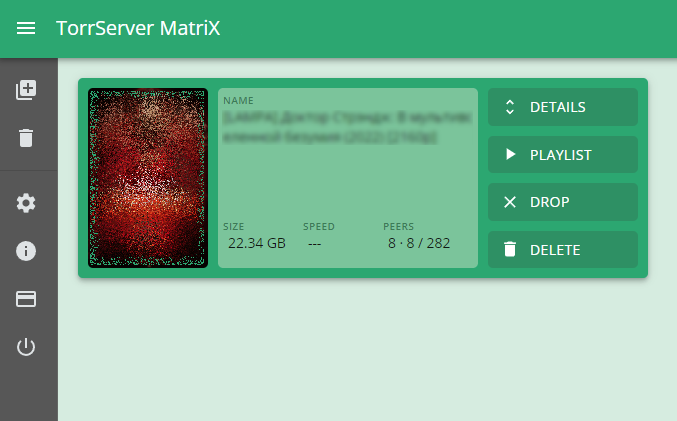
Key futures:
- autoupdates OS, TorrServer, qBittorrent and ip blocklist
- built-in torrent client qBittorrent
- automatic measurement of the Internet connection speed and setting up download/upload speed restrictions for the day and night in qBittorrent configuration
- automatic adding a torrent for downloading if more than 30% of the torrent is viewed
- seeding of viewed torrents
- automatic adding a qBittorrent local retracker to TorrServer trackers list (to accelerate viewing torrents via TorrServer)
- flexible configuration using ts.ini
- support x86-64, arm64 and armv7
GitHub:
https://github.com/MrKsey/torrserver-plus
Defaults:
- TorrServer WebUI: http://<your_server_ip>:8090
- TorrServer automatic updates turned ON
- qBittorrent enabled
- qBittorrent WebUI port: http://<your_server_ip>:8888
- qBittorrent local retracker: http://<your_server_ip>:9999/announce
- qBittorrent default login / password: admin / adminadmin
- Automatic adding a torrent for downloading to qBittorrent if more than 30% of the torrent is viewed (loaded to TorrServer cache)
- Torrents are added to QBittorrent in a PAUSED state
- Torrents resume loading at 2 a.m.
ℹ See qBittorrent and ts.ini settings for additional parameters
Installing
- сreate "/docker/torrserver-plus" directory (for example) on your host
- run container (set correct time zone TZ):
docker run --name torrserver-plus -e TZ=Europe/London -d --restart=unless-stopped --net=host \
-v /docker/torrserver-plus:/TS/db \
ksey/torrserver-plus
If you want to download torrents to another folder ("/your/downloads/folder"):
docker run --name torrserver-plus -e TZ=Europe/London -d --restart=unless-stopped --net=host \
-v /docker/torrserver-plus:/TS/db \
-v /your/downloads/folder:/TS/db/torrents \
ksey/torrserver-plus
Do not forget to configure the corresponding write permits for the folder "/your/downloads/folder"
Tag summary
Content type
Image
Digest
sha256:5a4c11e74…
Size
227 MB
Last updated
almost 4 years ago
docker pull ksey/torrserver-plus