m1k1o/blog
Lightweight self-hosted facebook-styled PHP blog. Plug & Play docker container.
50K+
m1k1o/blog repository overview
blog
This is a simple self-hosted, lightweight, singe-user PHP blog, where you can create your own Facebook-like feed. Give read access to other people, and you can share rich text with photos including highlighted code or links.
In this context lightweight means:
- No npm dependency, there won't be an annoying 1GB
node_modulesdirectory. - No pipeline. What you see is pure code without a need to install it.
- No overhead, essential features, simple usage.
Live demo
Live demo is available here:
Please note, that this demo has very limited computing resources, strict rate limiting and can be reset at anytime. Upload of files will not always work, but as simple demo to see this product in action it is enough.
Screenshots
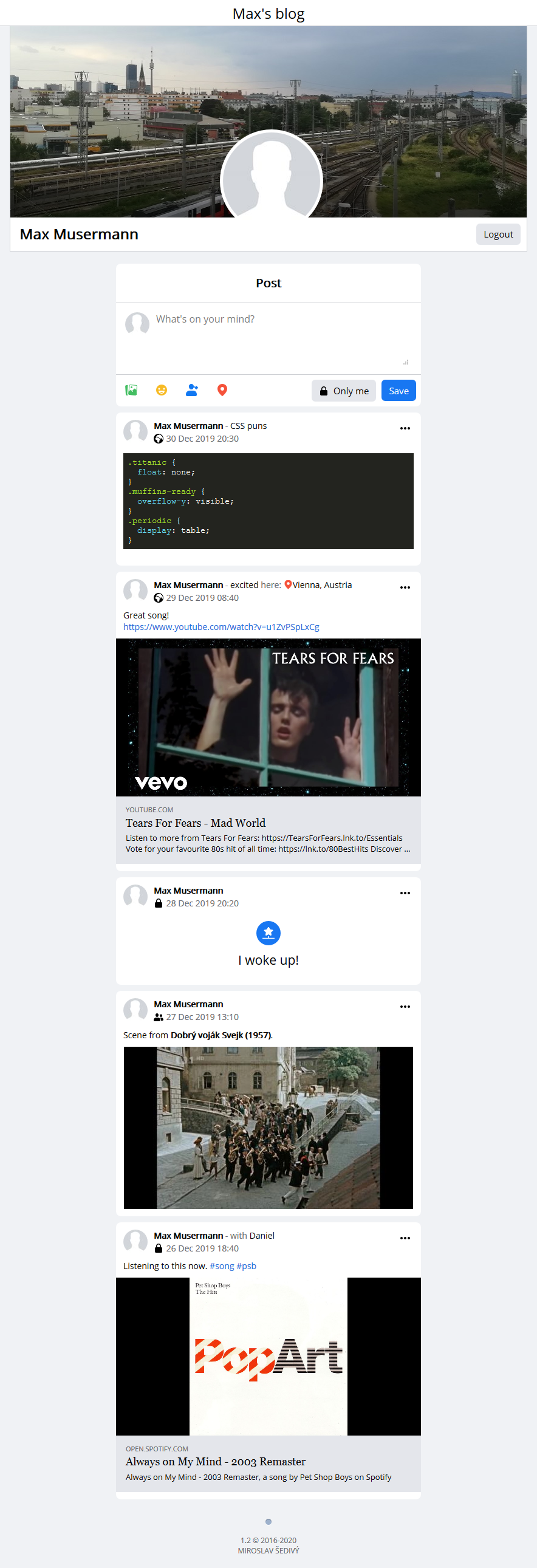
Light theme
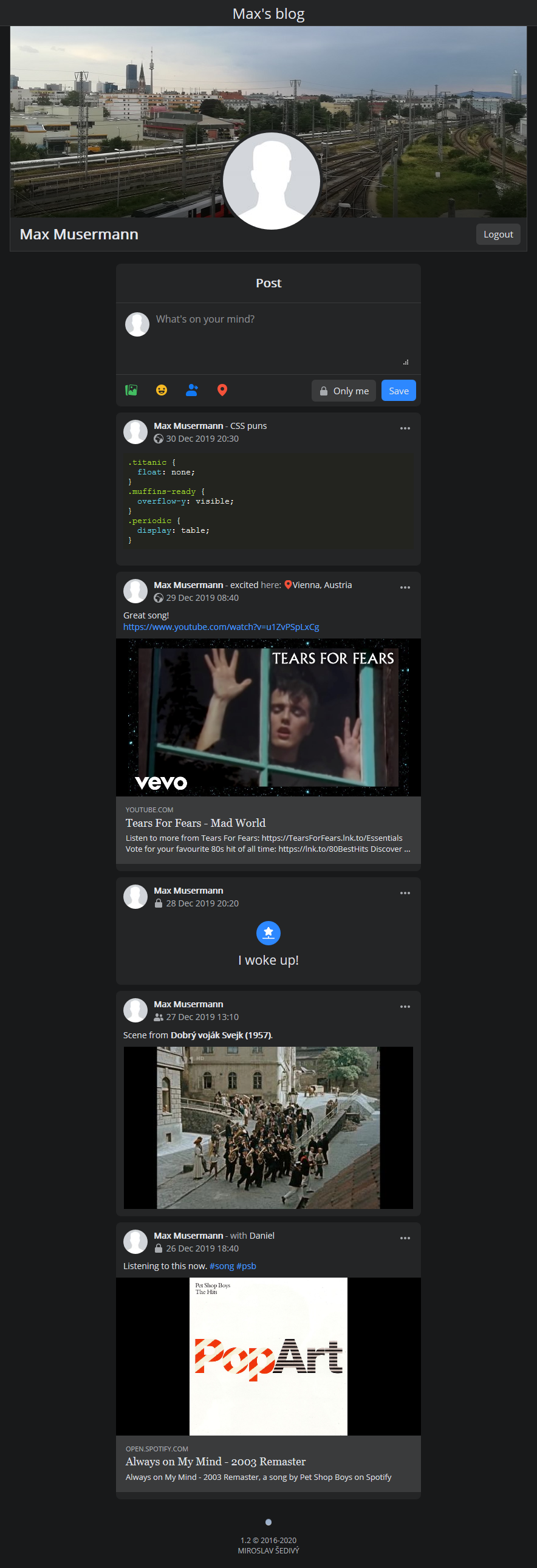
Dark theme
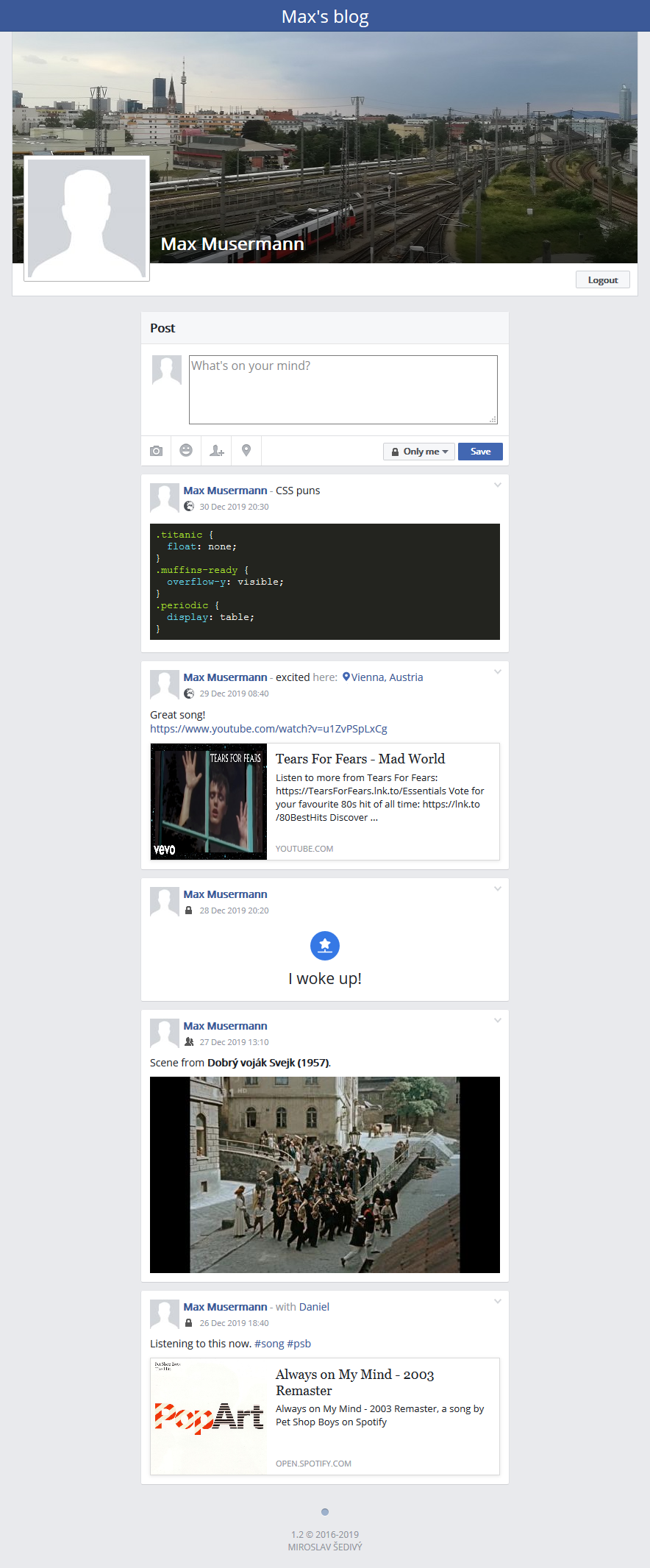
Legacy theme (compatible with older browsers)
Zero configuration setup
Container will run without any initial configuration needed using SQLite as database provider. For better performance consider using MySQL.
docker run -d -p 80:80 -v $PWD/data:/var/www/html/data m1k1o/blog:latest
You can set environment variables, prefixed with BLOG_ and uppercase. They can be found in config.ini.
docker run -d \
  -p 80:80 \
  -e "TZ=Europe/Vienna" \
  -e "BLOG_TITLE=Blog" \
  -e "BLOG_NAME=Max Musermann" \
  -e "BLOG_NICK=username" \
  -e "BLOG_PASS=password" \
  -e "BLOG_LANG=en" \
  -v $PWD/data:/var/www/html/data \
  m1k1o/blog:latest
Or in docker-compose format:
version: "3"
services:
  blog:
    image: m1k1o/blog:latest
    restart: unless-stopped
    environment:
        TZ: Europe/Vienna
        BLOG_TITLE: Blog
        BLOG_NAME: Max Musermann
        BLOG_NICK: username
        BLOG_PASS: password
        BLOG_LANG: en
    ports:
      - 80:80
    volumes:
      - ./data:/var/www/html/data
Install standalone app using docker-compose with mysql
You need to install docker-compose.
Step 1: Download and run docker-compose.yml.
wget https://raw.githubusercontent.com/m1k1o/blog/master/docker-compose.yml
docker-compose up -d
You can specify these environment variables, otherwise the default ones will be used:
- HTTP_PORT=80 - where the blog will be accessible.
- DATA=./data - directory to store the user data.
These environment variables can be stored in the .env file or passed to the command directly:
HTTP_PORT=3001 DATA=/home/user/blog docker-compose up -d
Step 2: Create data/ directory and download config.ini file.
Download default config file and copy to your new ./data/ directory.
mkdir data && cd data
wget https://raw.githubusercontent.com/m1k1o/blog/master/config.ini
Now you can modify your config. Or you can set environment variables, in uppercase, starting with BLOG_, e.g. BLOG_NAME: Max's blog.
Correct permissions
Make sure your ./data/ directory has correct permissions. Apache is running as a www-data user, which needs to have write access to the ./data/ directory (for uploading images).
Prefered solution
Change the directory owner to the www-data user:
chown 33:33 ./data/
Alternatively, add the www-data user to the user group that owns the ./data/ directory.
Bad solution (but it works)
Set 777 permission for your ./data/, so everyone can read, write, and execute:
chmod 777 ./data/
NOTICE: You should not use 777. You are giving access to anyone for this directory. Maybe to some attacker, who can run his exploit here.
Install
If you have decided that you don't want to use Docker, you can intall it manually.
Requirements: Apache 2.0*, PHP 7.4, (MariaDB 10.1 or SQLite 3)
NOTICE: If you would like to use Nginx or another web server, make sure that the sensitive data are not exposed to the public. Since .htaccess is protecting those files in Apache, that could not be the case in a different environment. Take care of:
- config.ini - disallow access to all .ini files for the public.
- data/logs/_ANY_.log - make sure no sensitive information are located in .log.
Database Schema
You can find database schema in ./app/db folder.
Debug mode
To check if your server is set up correctly, turn on a debug mode (in config add debug = true) to see the details. In the debug mode, an error may be shown if you are missing some PHP extensions needed to be installed on your server.
Config file
DO NOT edit ./config.ini file. If you wish to modify the config, simply make a copy to the ./data/config.ini directory and edit it there.
But, why? If there is any change in config file (most likely adding a new feature), you will have problems with merging a new version. Also, if you would fork this repository, you might accidentally push your secrets to the git. We don't want that to happen. Content of the /data directory is ignored by the git, so none of your pictures or personal data should ever be published to git.
Features
- Dark mode, retina ready, legacy theme available.
- Use BBcode in texts.
- Make posts available for everyone, only you or just for friends.
- Extra fields in post: Feeling, With and At.
- Hide posts from timeline so they are visible only when you need them to be.
- All pasted links will get preview with page title, description and image (can be configured proxy).
- Upload images using button (for mobile).
- Upload images using drag & drop (drop it into textarea).
- Upload images using CTRL + V (paste it into textarea).
- Highlight code in post using
[code]..your code..[/code]. - Highlight your goal using
[goal]Text of your goal.[/goal]. - Use tags in posts (allowed characters
A-Za-z0-9-_terminated by space or EOL):#song - Sort posts by hashtags:
http://blog/#tag=songs - Sort posts by location in url using:
http://blog/#loc=Vienna. - Display posts from chosen date using (format YYYY-MM-DD or YYY-MM):
http://blog/#from=2017-06. - Display posts to chosen date using (format YYYY-MM-DD or YYY-MM):
http://blog/#to=2017-06. - Combine parameters in url using
&, e.g. show posts between dates:http://blog/#from=2017-06&to=2017-08.
Access control
This blog is using Mandatory Access Control (MAC), with 3 types of access levels:
- Private posts are visible only to your single account specified in
nickandpass. - You can specify group of your friends and share posts only for them.
- Public posts are visible to everyone, without login.
In docker-compose.yml file, specify your credentials and friends like this:
version: "3"
services:
  blog:
    image: m1k1o/blog:latest
    restart: unless-stopped
    environment:
        TZ: Europe/Vienna
        BLOG_NICK: admin_username
        BLOG_PASS: admin_password
        BLOG_FRIENDS: |
          jane:mysecretpass
          thomas:anotherpass
    ports:
      - 80:80
    volumes:
      - ./data:/var/www/html/data
You can specify your credentials and friends in your config.ini file e.g.:
[admin]
force_login = true
nick = admin_username
pass = admin_password

[friends]
friends[jane] = mysecretpass
friends[thomas] = anotherpass
Localisation
Timezone can be set in config or, for docker users, TZ environment variable is supported. List of timezones can be found here.
Language support
Feel free to create new PR and add a new language. Specify language in config or in url: http://blog/?hl=sk.
- en - 🇬🇧 English
- de - 🇩🇪 German
- sk - 🇸🇰 Slovak
- fr - 🇫🇷 French (thanks @Phundrak)
- cz - 🇨🇿 Czech (thanks @djfinch)
- bs - 🇧🇦 Bosnian (thanks @hajro92)
- es - 🇪🇸 Spanish (thanks @ManuLinares)
Tag summary
Content type
Image
Digest
sha256:ae937fc96…
Size
165.6 MB
Last updated
7 months ago
docker pull m1k1o/blog