opensecurity/cmsscan
CMS Security Scan Dashboard for On Demand and Scheduled CMS Scans
Image
Security
Developer tools
2
6.4K
opensecurity/cmsscan repository overview
CMSScan
Scan WordPress, Drupal, Joomla, vBulletin websites for Security issues.




Made with  in India
CMSScan provides a centralized Security Dashboard for CMS Security scans. It is powered by wpscan, droopescan, vbscan and joomscan. It supports both on demand and scheduled scans and has the ability to sent email reports.
Install
# Requires ruby, ruby-dev, gem, libwww-perl, python3.6+ and git
git clone https://github.com/ajinabraham/CMSScan.git
cd CMSScan
./setup.sh
Run
./run.sh
Periodic Scans
You can perform periodic CMS scans with CMSScan. You must run CMSScan server separately and configure the following before running the scheduler.py script.
# SMTP SETTINGS
SMTP_SERVER = ''
FROM_EMAIL = ''
TO_EMAIL = ''

# SERVER SETTINGS
SERVER = ''

# SCAN SITES
WORDPRESS_SITES = []
DRUPAL_SITES = []
JOOMLA_SITES = []
VBULLETIN_SITES = []
Add a cronjob
crontab -e
@weekly /usr/bin/python3 scheduler.py
Basic Auth
By default there is no authentication. To enable basic auth, configure the following in app.py
app.config['BASIC_AUTH_USERNAME'] = 'admin'
app.config['BASIC_AUTH_PASSWORD'] = 'password'
app.config['BASIC_AUTH_FORCE'] = True
Docker
Local
docker build -t cmsscan .
docker run -it -p 7070:7070 cmsscan
Prebuilt Image
docker pull opensecurity/cmsscan
docker run -it -p 7070:7070 opensecurity/cmsscan
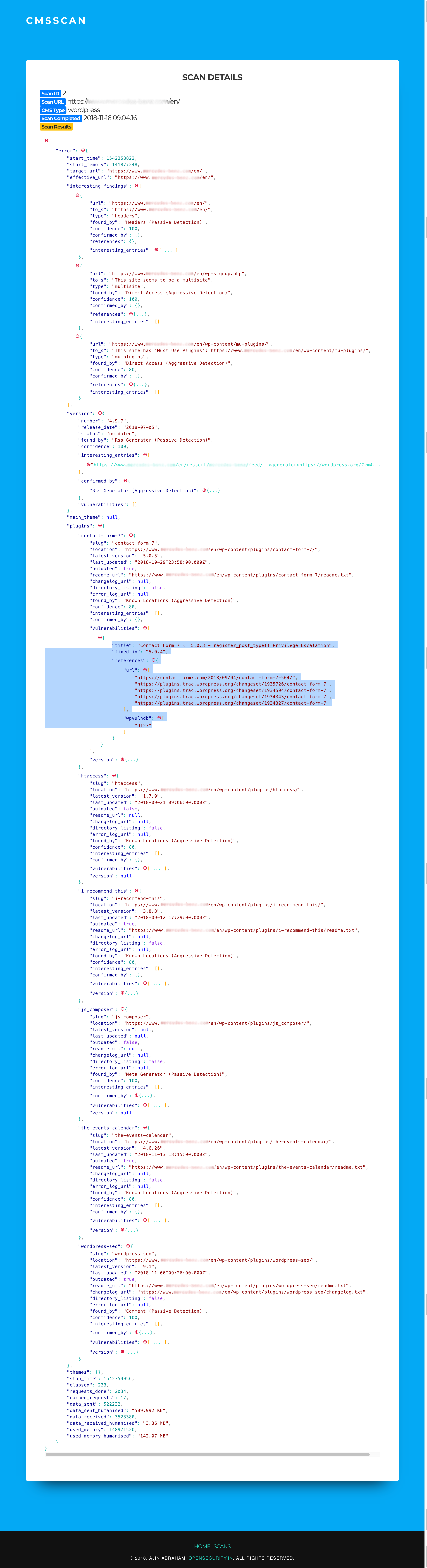
Screenshots


Tag summary
Content type
Image
Digest
Size
381.4 MB
Last updated
over 5 years ago
docker pull opensecurity/cmsscan