prengineer/stalker-plexer
Access your Stalker/Ministra IPTV content with Plex/Jellyfin!
1.4K
prengineer/stalker-plexer repository overview
Please Support This Project!
Donating is the best way to keep this project functional and to show your appreciation & support.
| Method | Easy Way | Receiving Account |
|---|---|---|
| PayPal |  | [email protected] |
| BitCoin |  | 19JXFGfRUV4NedS5tBGfJhkfRrN2EQtxVo |
Stalker-Plexer
Stalker / Ministra IPTV → M3U + XMLTV for Jellyfin, and a built-in HDHomeRun DVR for Plex
A single Docker container that turns the Legacy Stalker Portal (the platform used by Informir MAG set-top boxes) into clean M3U playlists and an XMLTV guide for Jellyfin, plus a built-in HDHomeRun DVR API that Plex discovers over SSDP and plays directly — no Threadfin / xTeVe in the middle — or straight into any player that reads M3U (MPC, VLC, Kodi, etc.).
About
Why does this exist?
Many IPTV providers on the Stalker/Ministra platform authenticate with the MAC address of your authorized device and no longer hand out M3U playlists or XMLTV guides. That locks their subscribers out of Plex, Jellyfin, and every other non-Stalker player.
This container sits in the middle: it speaks the Stalker protocol (as a MAG device would), pulls your full channel lineup and EPG, and serves everything as standard M3U + XMLTV over a single HTTP port. No more MAG box required for the lineup and guide.
What it does
One process, five jobs:
- Pulls the channel list from your provider's Stalker portal and exports the complete
lineup as
TVChannels.m3u. - Pulls the EPG on a schedule (default every 4 h, because providers typically serve only a
~5-hour forward window) and exports
epg.xml(the full lineup) plus a per-chunkepg-NN.xmlpaired 1:1 with eachTVChannels-NN.m3u. Every channel gets its own unique guide id — when the provider numbers the same feed under several channels, each copy keeps its own id (e.g.A1#1/A1#7) and the copy without its own EPG carries the shared feed's real schedule duplicated under its own id. Channels without provider EPG at all get a generated "Unknown Programming" grid, so every channel maps into the guide and the automatic channel↔EPG matching works for the whole lineup — in Plex, in Jellyfin, and in any M3U player. - Splits the lineup into
TVChannels-01.m3u,TVChannels-02.m3u, … — 400 channels per file (sized to clear Plex's 32 KB per-device save-URL cap). A 3,500-channel lineup produces 9 chunks; each chunk is also exposed as its own HDHomeRun device, so the whole lineup is available in Plex with no Threadfin/xTeVe. - Speaks the native HDHomeRun DVR API (
/ch/01/…,/ch/02/…, …) — one device per chunk — and advertises each on the LAN via SSDP/UPnP, so Plex finds the whole lineup with a normal DVR scan and plays it directly. - Serves all of it over HTTP, plus a stream proxy (
/live/<id>.m3u8) — the defaultMODE=proxyroutes every channel through it. Per request it re-resolves the provider URL, re-encodes the stream to a clean H.264 + MP2 MPEG-TS so Plex's decoder-less HDHomeRun transcoder can play it, and — when the provider rejects a rotated/stale stream line — self-heals by pulling a fresh line and retrying, so playback recovers on its own instead of needing a container restart.
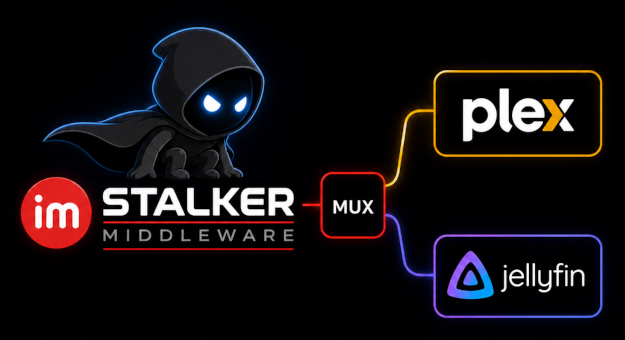
Jellyfin can consume the master M3U + EPG directly (the same files, no extra containers); the HDHomeRun API is what lets Plex do the same without a middleman.
Supported architectures
The app is written in Go and compiles to one static binary; the runtime image carries only that binary, ffmpeg, and ca-certificates.
| Docker platform | Runs on |
|---|---|
linux/amd64 | x86_64 servers / desktops |
linux/arm64 | Raspberry Pi 4/5 (64-bit OS) and macOS on Apple Silicon (M1/M2/…) |
Quick start
Running through the command line:
Basic run (no NAS):
docker run -d --name stalker-plexer --restart unless-stopped \
  -p 32300:32300 \
  -e PUID="1000" \
  -e PGID="1000" \
  -v stalker-data:/data \
  prengineer/stalker-plexer:latest
NAS run (Synology SHR, NFS, or any slow backend):
docker run -d --name stalker-plexer --restart unless-stopped \
  -p 32300:32300 \
  -e PUID="1000" \
  -e PGID="1000" \
  -v stalker-data:/data \
  --tmpfs /tmp:size=50m,mode=1777 \   # RAM-backed scratch for the pull (recommended)
  prengineer/stalker-plexer:latest
Portal credentials and every other setting are entered on the setup page — no environment variables needed at startup.
On a NAS, mount /tmp as tmpfs (recommended). The container's /tmp is still backed by the host's Docker data-root — on a Synology that is the same SHR array as everything else, so a working copy on /tmp would still crawl. A tmpfs mount puts the scratch area in RAM instead, and a pull degenerates to exactly two transfers against the array: one read (seeding the working copy) and one sequential write (publishing the finished stalker.db). A few tens of megabytes are more than enough — the database is small (~6 MB at a 3,500-channel lineup) and RAM is cheap.
Running with Docker Compose:
NOTE: Anything surrounded by "<" and ">" needs to be replaced.
Running on CPU re-encoding:
# Example compose stack: stalker-plexer serving the HDHomeRun DVR devices and
# Plex discovering them. (Jellyfin can still consume the M3U/XMLTV
# output directly — same service, no extra containers.)

services:

  # Container #1 - Stalker-Plexer
  stalker:
    image: prengineer/stalker-plexer:latest
    container_name: Stalker-Plexer
    environment:
      PUID: "1000"
      PGID: "1000"
    ports:
      - "32300:32300"
    volumes:
      - </containers/stalker>:/data
        # Optional tmpfs scratch area for faster pulls on NAS (Synology SHR, NFS)
      - type: tmpfs
        target: /tmp
        tmpfs:
          size: 50m
          mode: 1777
    restart: unless-stopped

  # Container #2 - Plex
  plex:
    image: lscr.io/linuxserver/plex:latest
    container_name: Plex
    ports:
      - "32400:32400"
    volumes:
      - </containers/plex>:/config
      - </containers/plex-transcode>:/transcode
    restart: unless-stopped

  # Container #3 - Jellyfin
  jellyfin:
    image: lscr.io/linuxserver/jellyfin:latest
    container_name: Jellyfin
    ports:
      - "8096:8096"
    #network_mode: host
    volumes:
      - </containers/jellyfin>:/config
      - </containers/jellyfin-transcode>:/transcode
    restart: unless-stopped
To enable NVIDIA GPU re-encoding add:
    environment:
      NVIDIA_VISIBLE_DEVICES: all
      NVIDIA_DRIVER_CAPABILITIES: all
    deploy:
      resources:
        reservations:
          devices:
            - driver: nvidia
              count: all
              capabilities: [gpu]
To enable Intel QuickSync GPU re-encoding (Linux) add:
    devices:
      - /dev/dri:/dev/dri
To enable AMD GPU (VAAPI + ROCm) re-encoding (Linux) add:
    environment:
      LIBVA_DRIVER_NAME: radeonsi
    devices:
      - /dev/dri:/dev/dri
      - /dev/kfd:/dev/kfd
To enable ARM SoC (Raspberry Pi, Rockchip, Amlogic) GPU re-encoding (Linux) add:
    devices:
      - /dev/dri:/dev/dri
      - /dev/video0:/dev/video0
Then open the setup page — http://<hostname or IP>:32300/setup (the landing page shows a
"Not configured yet" banner and links to it until you do). Enter your portal base URL, your
MAC Address, and the host name or IP your players (Plex, Jellyfin) use to reach this container — sensible defaults are pre-filled for the rest. Save and
restart writes stalker-plexer.conf into the data volume (it carries your MAC);
from then on that file wins over the environment variables, and the first pull (channels + EPG +
export) completes within ~60 s.
Key setup notes
-
Setup page — the recommended way to configure: open
/setup, fill in the form, save. It writesstalker-plexer.confinto the data volume, and that file wins over the environment variables from then on. The same page is where you change a credential or a setting later; a rejected save re-renders the form around the problem and leaves the saved file untouched. -
STALKER_MAC(setup field Whitelisted MAC) — the MAC address your provider whitelisted for your account. It is your account credential: treat it like a password. -
STALKER_BASE(setup field Portal base URL) — your portal base URL (thehttp://sub.domain.tldpart ofhttp://sub.domain.tld/c/index.html). -
PUBLIC_HOST(setup field Public host) — the host name your players (Plex, Jellyfin) use to reach this container. It is embedded in the M3U proxy lines and in every HDHomeRunlineup.json/discovery.jsonURLBase, so it must resolve from them; otherwise use a LAN IP or DNS name they can resolve. This is the one setting that is easy to get wrong. -
MODE—proxy(default, recommended) routes every channel through the/liveproxy: per-request line re-resolution, stale-line self-heal, and FAST URI absolutization.directputs raw provider URLs in the M3U — an escape hatch, since the MAGXXX family then 403s. -
Ports — the container listens on
32300(changeable viaPORT); publish whatever host port you like (e.g.-p 32300:32300). Sibling containers reach it on the container port. Exposing on the same port avoids confusion with the links displayed in the UI. Otherwise, you will have to change to the exposed port instead of the one listed in the UI. -
Volume —
/data(in container) holdsstalker.db,TVChannels*.m3u,epg.xml+epg-NN.xml, andstalker-plexer.conf(the saved setup). On a NAS or NFS, mount the container's/tmpas tmpfs so the pull's SQLite working copy runs in RAM instead of crawling on slow storage. The database is small (~6 MB at a 3460-channel lineup) and 50MB of tmpfs is plenty:--tmpfs /tmp:size=50m,mode=1777. The container chowns/datatoPUID/PGIDat startup, so bind mounts work with whatever user your host uses. -
Connecting players — two paths, both from this one container:
- Plex (recommended — the built-in HDHomeRun DVR). Each chunk is exposed as its own
HDHomeRun DVR device (
/ch/01,/ch/02, …) and advertised on the LAN via SSDP. In Plex, run a DVR scan (Settings → Live TV & DVR → Scan for Devices) and it should find every/ch/NNdevice. If a DVR scan finds nothing — the usual cause is that SSDP multicast can't cross a Docker bridge, or that Plex is outside this compose — add the device by URL instead: Plex accepts a custom HDHomeRun address, so enterhttp://<PUBLIC_HOST>:32300/ch/01(and/ch/02, …). That is plain HTTP and always works (host networking or a shared macvlan also make the scan work; see the SSDP note above). - Jellyfin (M3U + XMLTV). Add the full
TVChannels.m3uand the fullepg.xmlas a Live TV tuner — no middleman. Or aTVChannels-NN.m3uchunk with its pairedepg-NN.xml. Channel↔EPG mapping is automatic: every M3U line'stvg-idmatches the<channel id=…>in the guide file — the provider'sxmltv_idwhen unique,<xid>#<id>when shared between channels, the channel id where the provider sends a literal"NULL".
- Plex (recommended — the built-in HDHomeRun DVR). Each chunk is exposed as its own
HDHomeRun DVR device (
-
In Plex, the container is the DVR — add it by SSDP scan or by the URL above; no xTeVe/Threadfin.
┌─────────────────────────────────────────────────┐ IPTV │ stalker (this container) │ Provider │ ┌───────────┐ ┌──────────────────────────┐ │ Stalker --│->│ scheduler│ │ HTTP :32300 │ │ portal │ │ 4h EPG │ │ /ch/01, /ch/02 … (HDHR)│ │ │ │ 24h chnl │ │ /TVChannels.m3u │ │ │ └───────────┘ │ /epg.xml + /epg-NN.xml │ │ │ │ │ /live/<id>.m3u8 (proxy)│ │ │ ▼ └───────────┬──────────────┘ │ │ /data stalker.db │ │ │ TVChannels*.m3u │ │ │ epg.xml + epg-NN.xml│ │ └-----------------------------|---------------┘ │ SSDP (UDP 1900) + HTTP ▼ Plex -
In Jellyfin, add the full
TVChannels.m3uand the sharedepg.xmlas a Live TV tuner — no middleman.┌────────────────────────────────────────────────┐ IPTV │ stalker (this container) │ Provider │ ┌────────────┐ ┌──────────────────────────┐ │ Stalker ──┼─>│ scheduler │ │ HTTP :32300 │ │ portal │ │ 4h EPG │ │ /TVChannels-01.m3u … │ │ │ │ 24h chnl │ │ /TVChannels.m3u │ │ │ └────────────┘ │ /epg.xml + /epg-NN.xml │ │ │ │ │ /live/<id>.m3u8 (proxy)│ │ │ ▼ └───────────┬──────────────┘ │ │ /data stalker.db │ │ │ TVChannels*.m3u │ │ │ epg.xml + epg-NN.xml│ │ └────────────────────────────────┼────────────────┘ │ ▼ Jellyfin
Configuration
Application settings can be set in two places, resolved in this order:
stalker-plexer.conf— a TOML file in the data volume, written by the setup page (/setup, one form covering all eighteen settings). From the moment it exists it wins over the environment variables. This is the primary path — and where you change a credential or a setting later.- Environment variables (compose
environment:ordocker run -e) — still accepted for every setting as a fallback. They apply while the conf file is absent or lacks the key, so existing deployments keep working unchanged.
Full resolution order: CLI flag (one-shot commands) > conf file > environment variable > built-in default.
Application settings (setup page or environment)
| Variable | Default | Meaning |
|---|---|---|
STALKER_BASE | (required) | Portal base URL (from http://sub.domain.tld/c/index.html). |
STALKER_MAC | (required) | Your whitelisted MAC. Your account credential — keep it secret. |
STALKER_DEVICE_MODEL | MAGXXX | The MAG box this service impersonates — both the portal and stream User-Agents derive from it (portal: Mozilla/5.0 (<model>; informir gSTB), stream: <model>). Verified 2026-09-06: this provider's stream edge accepts every MAG model (bot-UA blocklist, so the model is cosmetic here); keep MAGXXX unless another provider's edge wants a specific model. |
PUBLIC_HOST | localhost | Host string embedded in the M3U proxy lines and every HDHomeRun lineup.json/discovery.json URLBase. Must be resolvable from the players (Plex, Jellyfin) — the compose service name (stalker) or their LAN IP. |
MODE | proxy | proxy = route all channels through the /live proxy (default, recommended — self-heal + FAST URI absolutization on every channel) · direct = raw provider URLs (escape hatch — the MAGXXX family 403s). |
CHUNK_SIZE | 400 | Channels per TVChannels-NN.m3u and per HDHomeRun device (/ch/NN). Sized to keep each device under Plex's 32 KB save-URL cap (measured ceilings: ~488 channels at ≤3-digit numbers, ~454 at 4-digit, ~424 at 5-digit) with headroom — keep it ≤ 400 unless every channel number is ≤ 3 digits. |
FFMPEG_PATH | ffmpeg | The ffmpeg binary the /live proxy uses to re-encode streams. Empty = ffmpeg on the container's PATH. |
HWACCEL | auto | The re-encode backend: auto (default) = a GPU when the container can reach one, else CPU · cpu = force CPU libx264 · qsv / vaapi / v4l2m2m = pin one GPU path · off = no re-encode (serve the raw upstream — Plex then shows "Could not tune" on most channels). A pinned GPU path is probed at startup and silently falls back to CPU if the device isn't reachable (e.g. no --device /dev/dri). |
HDHR_ENABLED | 1 | 1 = serve the native HDHomeRun DVR API (/ch/NN/…) so Plex can discover and play the lineup without Threadfin/xTeVe · 0 = M3U/XMLTV only (the Jellyfin path). |
HDHR_TUNERS | 4 | How many tuners each HDHomeRun device reports — Plex allows this many simultaneous streams per device. |
HDHR_MODEL | HDTC2-1ST | The HDHomeRun model string reported per device (cosmetic). |
DISCOVERY_ENABLED | 1 | 1 = advertise each HDHomeRun device on the LAN via SSDP/UPnP so Plex auto-discovers it · 0 = add the devices to Plex by URL instead (always works; use it when Plex can't hear multicast). |
EPG_INTERVAL_HOURS | 4 | EPG refresh cadence. Keep it below the provider's ~5-hour window so the forward guide never gaps. |
EPG_PERIOD | 5 | Nominal EPG window sent to the portal (providers largely ignore it). |
CHANNEL_INTERVAL_HOURS | 24 | How often to re-pull the channel list, in hours. Keep it small (e.g. 2) on providers whose stream line-token rotates — it is the backstop for the watchdog. |
WATCHDOG_MINUTES | 10 | How often the watchdog probes the stream line and self-heals a stale one (0 = off). |
KEEP_DAYS | 1 | Days of real-EPG history retained in the guide. |
FAKE_EPG_HOURS | 5 | Length of the generated "Unknown Programming" grid per channel without EPG, in hours. |
SCHEDULER | 1 | 0 = serve existing files only, never pull (read-only replicas). |
Environment-only variables
These stay environment variables by design — the port must be known before the server can bind, and
the conf file itself lives inside DATA_DIR:
| Variable | Default | Meaning |
|---|---|---|
PORT | 32300 | Container-side HTTP port: files + proxy + health. |
BIND | 0.0.0.0 | Interface to bind. |
PUID | 1000 | UID the process runs as (dropped from root at startup). Match it to the owner of your data folder. |
PGID | 1000 | GID of that user. |
DATA_DIR | /data | Where stalker.db, the output files and stalker-plexer.conf live (the volume). |
Ports & volume
| Item | Value | Notes |
|---|---|---|
| HTTP | 32300/tcp | M3U + EPG + stream proxy + health, all on one port. Publish any host port. |
| Volume | /data | stalker.db, TVChannels*.m3u, epg.xml + epg-NN.xml (served over HTTP), and stalker-plexer.conf — the saved setup, written mode 0600 because it carries your MAC. |
⚠️ Credentials
STALKER_MAC and the stream paths inside the M3U files are your provider credentials.
Anyone with stalker.db, stalker-plexer.conf, or the TVChannels*.m3u files can play your account. Keep the /data volume private —
never commit it or the data directory to a public repository.
🛑 Simultaneous streams
Most providers allow only one channel at a time per account; multi-stream packages are becoming more common. If your provider is single-stream, only one Plex / Jellyfin device can stream at a time, even though the lineup is available to all of them. This image does not bypass provider stream limits — don't try to use it to do so. You'll just waste your time. This is designed to play one stream per MAC Address.
Tag summary
Content type
Image
Digest
sha256:e79616d8c…
Size
133.1 MB
Last updated
3 days ago
docker pull prengineer/stalker-plexer