sflow/traffic-sentinel
Traffic Sentinel provides real-time network visibility to manage large complex networks.
1.7K
sflow/traffic-sentinel repository overview
InMon Traffic Sentinel
Traffic Sentinel provides real-time network visibility to manage large complex networks. An intuitive drill-down interface simplifies navigation through detailed network data to quickly find answers.
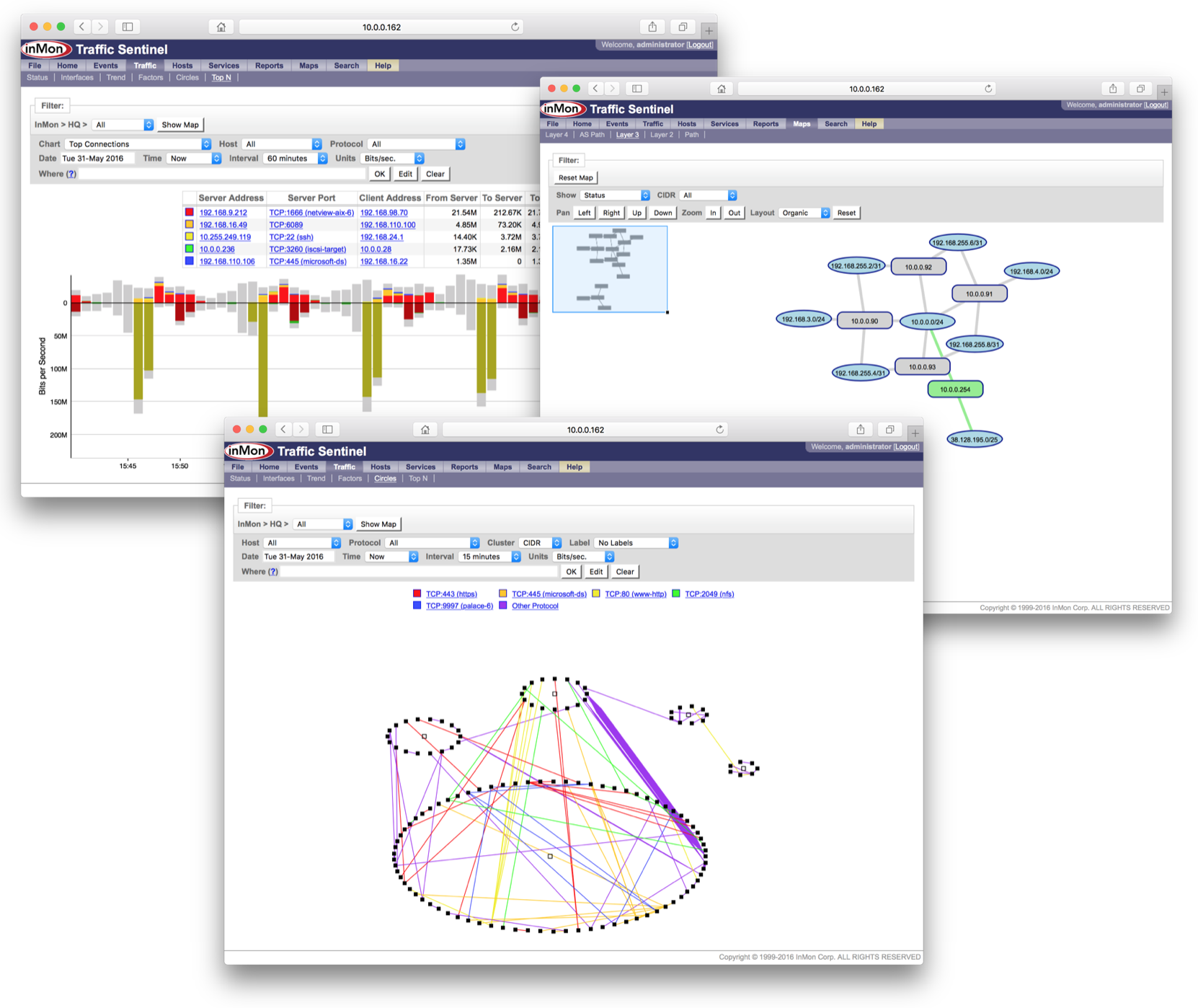
Traffic Sentinel makes use of embedded instrumentation within switches, routers, load balancers, and servers. Industry standard sFlow provides the richest information, greatest scalability, and is supported by the largest number of vendors (see sFlow Capable Devices). Traffic Sentinel also accepts IPFIX and a number of proprietary monitoring technologies, including: Cisco NetFlow, Juniper J-Flow, and HP Extended RMON. The use of embedded switch and router monitoring eliminates the need for probes, is simple to deploy, cost effective, and provides detailed network-wide visibility.
How to use this image
First, create an account on MyInMon.com and request a free Traffic Sentinel evaluation. When requesting the evaluation, you will need to provide a fully qualified domain name for the server running the software and will be sent a software key that matches the domain name. You can make up a name within your organization's domain, for example, sentinel.inmon.com.
Download the Traffic Sentinel (64bit RedHat/Fedora35, Java 1.8+) file. The file should have a name with the pattern fedora35-inmsf-*-x86_64.tgz, e.g. fedora35-inmsf-8.6.42-x86_64.tgz
Next, create a directory called inmsf to store the application state. Copy / move the installation file into this directory.
docker run \
-v $PWD/inmsf:/usr/local/inmsf \
--net=host \
--privileged \
-h sentinel.inmon.com \
sflow/traffic-sentinel
Runs the software using the Linux host's network stack for optimal performance.
docker run \
-v $PWD/inmsf:/usr/local/inmsf \
-p 80:80 \
-p 6343:6343/udp \
-p 4739:4739/udp \
-p 9985:9985/udp \
-h sentinel.inmon.com \
sflow/traffic-sentinel
Runs the software using Docker networking. Required on non-Linux platforms, e.g. OSX and Windows.
Web User Interface
Access the web interface at http://localhost/ and follow the steps in Configuring Traffic Sentinel - step by step guide.
Upgrading Traffic Sentinel
Replace the Traffic Sentinel installation file in the inmsf directory with a new version and restart the docker image.
Tag summary
Content type
Image
Digest
Size
165.6 MB
Last updated
over 4 years ago
docker pull sflow/traffic-sentinel