wagoautomation/fw-update-pfc200 repository overview
Replace the PFC 200 G2 Firmware on the fly with Docker.
Statistics Docker Hub



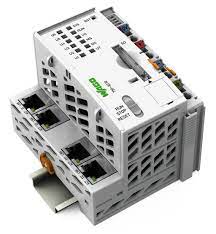
Start Host Firmware update
- Device must be used with Firmware inside Flash.
- Docker Daemon should be installed and also used inside Flash.
(Please use newest Version, min. Version: https://github.com/WAGO/docker-ipk/releases/download/v1.0.4-beta/docker_20.10.5_armhf.ipk)
!!! Since FW23 Docker is part of the firmware, just enable via WBM the Daemon !!! - Make sure that the firewall is deactivated during the update.
- How to use with Docker CLI interface:
docker run -d \
--restart on-failure:1 \
--name=fw  \
--env PASSWORD="YOUR PFC ROOT PASSWORD" \
--env SERVICE_NAME=fw \
--env MAX_UPDATE_RETRYS=5 \
--env CERT_NAME=ca.crt \
--env FILEPATH=/etc/docker/ \
--env FILE=daemon.json \
wagoautomation/fw-update-pfc200:x.x.x-x
- Before do a new update, remove the stopped Container if all is finished
If you like to use that with Portainer-CE
- Install Portainer-CE.
- Paste following URL inside Portainer-CE "App-template", Settings Side:
NONE
- Use Menupoint "App Templates"
- Click the template, make your settings (Advanced options) and push "deploy" button.
- Before do a new update, remove the stopped Container if all is finished.
Be patient, replace takes up to 10 minutes.
Disclaimer
This update is an EXAMPLE howto update your device via docker environment.It is not released for productive using.
If you have questions or like to use it in a real production environment, please just contact:
[email protected]
Tag summary
Content type
Image
Digest
sha256:2adf5d25d…
Size
95.2 MB
Last updated
over 2 years ago
docker pull wagoautomation/fw-update-pfc200:04.04.03-26